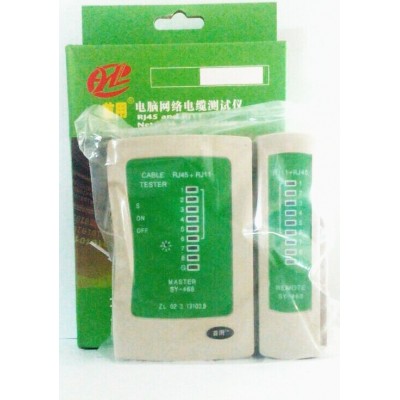
RJ45 and RJ12 Network Cable Tester
($ 10)
Product Specification
HOW TO USE an RJ45 Network Cable Tester
- Detach the master and Remote unit from each other
- Plug the jack e.g. RJ45 into the master unit (ma
- Plug the other end of the cable into the remote unit
- Turn on the Master unit by sliding over the switch to either
- ON - normal test mode
- S - slow automatic mode
- The tester now checks each of the 8 wires one after the other
- If wired correctly the sequence on both the Master and remote unit will be:
- If the cable is:wired incorrectly then the sequence on the remote unit will be out of sync
- or if there is a short then
- no light will come on in the remote unit.